Let’s start with a confession.
Someone, somewhere right now, has a $300 smart refrigerator touchscreen they stopped using three weeks after unboxing. There’s a voice-controlled coffee maker that’s been running on manual mode for six months because the app “takes too long.” There are smart light bulbs in three rooms of a house where the physical switches have been taped over to stop guests accidentally breaking the automation which, you have to admit, is peak smart home energy.
The dream of the fully automated home is seductive. Tech companies paint a picture of a frictionless life where everything anticipates your needs, responds to your voice, and saves you time, energy, and money, all while looking impossibly sleek in your living room.
The reality? Smart homes are better than ever, but they’re still not the Jetsons future we were promised. They’re incrementally better sometimes significantly, often marginally but they come with costs, complexity, and occasional frustration. The hype says “automate everything, live in the future, control your home with your voice.” The reality is you’ll still manually do lots of things because it’s faster, voice control fails roughly 20% of the time, and automations will occasionally glitch and turn your lights on at 3 AM.
And yet, and this is the important part; some smart home technology is genuinely, transformatively useful. The kind of useful where you can’t imagine going back. Where the automation is so seamless it becomes invisible, and life is measurably better because of it.
This post is about figuring out which is which. We’re cutting through the marketing noise with real data, real user experiences, and a clear-eyed look at what actually earns its place in daily life and what gets abandoned within weeks of purchase.
Let’s get into it. But first, catch up on previous home smart posts you might have missed.
Table of Contents
Smart Home Devices Hype vs. Reality: What Actually Gets Used Every Single Day.
1. The Honest State of Smart Homes Right Now
First, let’s look at where we actually are, because the numbers tell a fascinating story.
In 2025, 63% of US households have at least one smart home device, there are 72 million smart speakers in use across American households, and 44% of homeowners under 35 use multiple smart devices daily. Smart home technology has unambiguously gone mainstream.
Smart home technologies are steadily entering mainstream use, with entertainment systems; smart TVs, displays, and speakers leading at 55% penetration among adopters. Other widely adopted categories include smart thermostats at 34%, security alarms and displays at 32%, smart lights and controllers at 31%, and access and recognition systems at 25%.
But here’s where it gets interesting. Owning a device is very different from using it daily, and the gap between the two is where most smart home regret lives. There is one surprising drawback to smart home ownership: 29% of users say they actually spend more time managing their home with smart devices than they did before. This suggests that while these technologies can simplify certain tasks, they may add complexity in other areas.
Homeowners control their smart devices primarily through individual smartphone apps at 45%. Voice control to a smart speaker or hub isn’t very common yet at just 17%, and consumers are just as likely to use the manual controls on the device itself. This tendency to rely on individual apps may lead to frustration as users add more devices and need to manage multiple interfaces.
Read that last bit again. People bought smart devices for convenience and then opened five different apps to manage them. That’s not convenience. That’s just a tech headache with better hardware.
The good news is that 77% of consumers who have embraced smart home devices believe that these technologies improve their overall quality of life, with security and remote monitoring capabilities being among the key advantages cited. So it’s not that smart homes are a scam, it’s that the right devices deliver genuine value, and the wrong ones absolutely do not.
The entire purpose of this guide is helping you only buy the right ones.
2. Tier 1: The Devices People Actually Use Every Single Day
These are the winners. The devices that earn their place in daily life, get used without thinking, and genuinely, measurably improve how you live. They’re not flashy. They don’t have the most impressive demos. But they work; consistently, reliably, and invisibly.
Smart Speakers and Voice Assistants
The single most widely adopted smart home device category, and for good reason. One in four adults now says “Hey Google, set a timer for 15 minutes” or “Alexa, turn on the living room lights” daily. Smart speakers are the gateway drug of the smart home world and unlike most gateway drugs, this one actually delivers.
Why do they actually get used? Because they solve real, daily friction points. Timers while your hands are in raw chicken. Unit conversions in the middle of a recipe. Reminders set while you’re doing something else. Shopping lists populated hands-free. Weather checks. Quick calculations. Music without unlocking your phone. These aren’t revolutionary features, they’re useful ones, and useful beats revolutionary every single time.
The daily use test: A smart device that gets used 10 times a day without you consciously thinking about it beats one you use weekly but always find impressive. Smart speakers pass this test spectacularly.
Amazon Pick: Amazon Echo Dot (5th Gen)
The best entry point into smart home voice control. Full Alexa functionality, improved audio over previous generations, compact design, and one of the highest sales volumes on all of Amazon.
Amazon Pick: Amazon Echo Show 8 (2nd Gen)
Add a screen and the use cases multiply dramatically; recipe display, video calls, photo frame, smart home control panel, doorbell camera feed. One of the best-selling smart displays on Amazon.
Smart Thermostats
This is the one smart home device that universally earns its keep and it’s not even close. Smart thermostats use machine learning to adjust settings based on household routines, reducing energy use by 10–15%. EnergyStar smart thermostats save an average of 8% on heating and cooling bills, roughly $50 annually.
Set it once, and it learns. It knows when you’re home. It knows when you’re asleep. It knows your schedule better than you do and adjusts automatically. The remote control via app is genuinely useful for “I’m working late, don’t heat the house yet” moments. And the energy savings typically pay for the device within 12–18 months, making it one of the rare smart home purchases that literally earns money back.
Ecobee or Google Nest Smart Thermostat represents the highest ROI smart home purchase available if you own your home and have HVAC. Full stop.
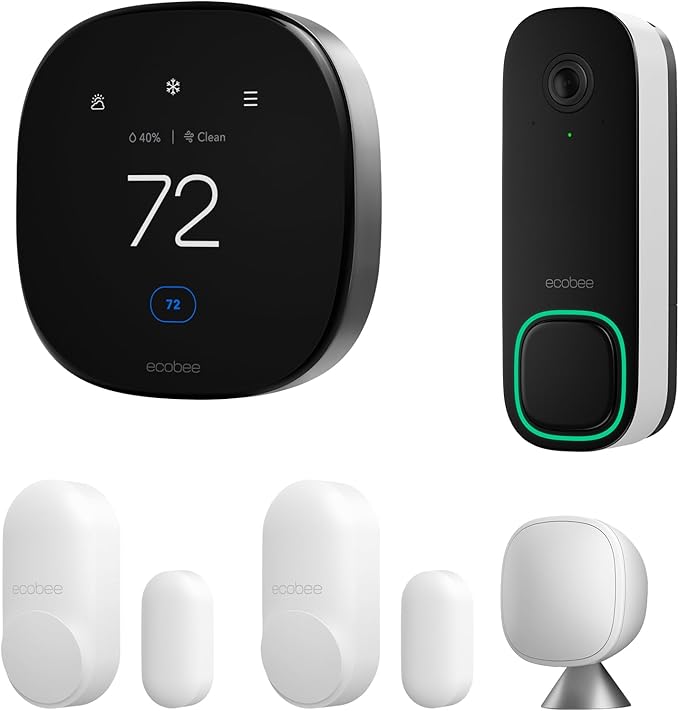
Amazon Pick: ecobee SmartThermostat Premium
Our top overall pick. Includes a remote room sensor, built-in Alexa, air quality monitoring, and works with every major ecosystem. The room sensor is the secret weapon, it reads temperature where you actually are, not just where the thermostat lives on a wall.
Amazon Pick: Google Nest Thermostat (4th Gen)
The most beautifully designed thermostat ever made. True learning algorithm, Farsight display that shows temperature when you walk past, and seamless Google Home integration.
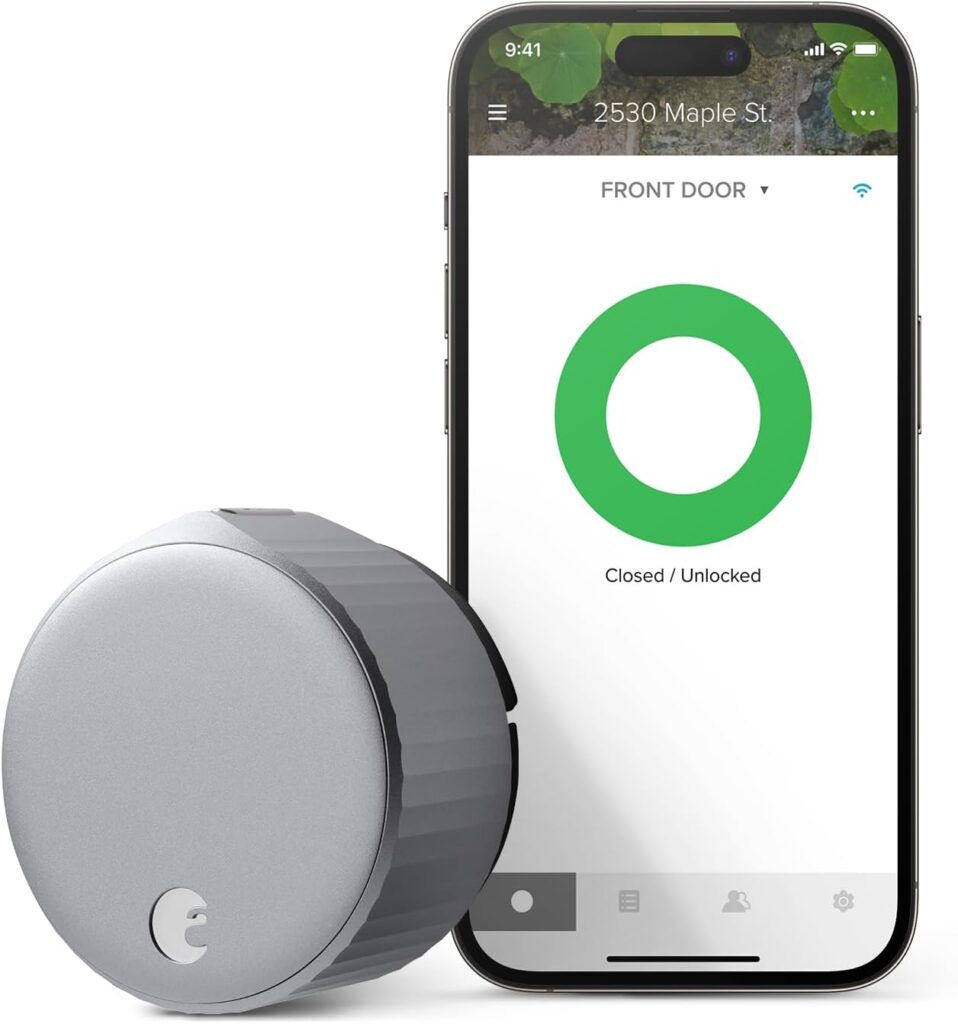
August Home, Silver Wi-Fi Connected Smart Keyless Entry Door Lock
August Wi-Fi Smart Lock is able to Auto-Unlock as you get home for totally hands-free unlocking (optional). With Auto-Lock and DoorSense, your home automatically secures once your door is closed, or after a set amount of time.
Robot Vacuums
Here’s a device that surprises people. It’s not glamorous. It doesn’t integrate with seventeen smart home platforms. It doesn’t respond to voice commands in an impressive way. But it gets used every single day by almost everyone who owns one, because floors need cleaning every single day, and nobody wants to do it.
Robot vacuum cleaners are now owned by 25% of households in 2025, with pet owners leading adoption. And the retention rate, meaning people who buy one and keep using it regularly, is among the highest of any smart home device category. Once you’ve experienced coming home to a clean floor you didn’t clean, you don’t go back.
A smart robot vacuum represents one of those genuinely improved life moments: you come home to a vacuumed floor you didn’t have to clean and it’s pretty damn nice.
Amazon Pick: iRobot Roomba j7+ (Self-Emptying)
The Roomba that thinks. Obstacle avoidance (won’t get stuck on cables or socks), self-empties its dustbin into a base station, learns your home layout, and creates a personalized schedule.
Smart Video Doorbells
Smart doorbells are now installed in 33% of homes, with Ring and Google Nest being the most popular brands. And unlike some smart home devices, people don’t just buy them, they check them obsessively. Package delivery notifications. Seeing who’s at the door before you open it. Motion alerts while you’re on holiday. Footage that came in useful when a neighbour’s car got scratched.
The daily use case is real, practical, and deeply satisfying. It scratches both the convenience itch (no getting up to check who’s at the door) and the security itch (your home is visibly monitored). That’s a rare combination.
Amazon Pick: Ring Video Doorbell 4
Color video pre-roll shows what happened before motion was detected, a genuinely useful feature for package theft scenarios. Two-way audio, night vision, Alexa integration, and a 4K upgrade path.
Amazon Pick: Google Nest Doorbell (Battery)
Elegant design, HDR video, person/package/animal detection, and deep Google Home integration. A great alternative for Google ecosystem.
Smart Plugs
The most unsexy smart home device, and consistently one of the most used. A smart plug costs $10–$25 and turns any existing appliance into a smart device. Schedule your coffee maker to have your morning brew ready before your alarm finishes. Turn off your desk lamp from bed. Set your fan to run only while you’re home. Automatically cut power to devices on standby (a genuine energy saver).
Smart plugs and outlets have seen a 31% adoption rate, largely due to their ease of use and energy tracking capabilities. They add intelligence to things you already own, require zero installation, and offer an immediate, tangible payoff, which is why they have one of the highest daily use rates of any smart home category.
Amazon Pick: Kasa Smart Plug Mini (4-Pack)
Small enough not to block the second outlet, WiFi-connected, works with Alexa and Google Home, and one of Amazon’s most purchased smart home items.
Amazon Pick: Kasa Smart Power Strip (3 Smart Outlets + USB)
Control your desk lamp, monitor, and phone charger independently, from one smart strip. Voice-controlled, schedule-enabled, and includes USB ports for a truly comprehensive power management setup.
3. Tier 2: Situationally Brilliant — The Devices People Use Regularly But Not Daily
These devices don’t see daily action, but when they get used, people are very glad they have them. They solve specific, real problems just not necessarily every day.
Smart Locks
Smart locks now secure 22% of homes, offering keyless entry and remote control. The daily use case? Less than you’d think. Most people still lock and unlock their door the same number of times as before. But the situational value is enormous: letting a dog walker in remotely, unlocking for a delivery, sharing a temporary code with a houseguest without cutting keys, checking from bed whether you actually locked up.
The peace of mind element is genuinely underrated. And for households with kids, the automatic “lock behind you at 8am” routine is a game-changer for parents who’ve driven 10 minutes to work and then turned around to go back and check the door.
Amazon Pick: August Wi-Fi Smart Lock (4th Gen)
The brilliant thing about August is that it installs over your existing deadbolt, so you keep your existing keys AND get smart functionality. No locksmith, no drilling.
Amazon Pick: Schlage Encode Plus Smart WiFi Deadbolt
A complete deadbolt replacement with built-in WiFi (no separate hub needed), a fingerprint-free touchscreen, and Apple HomeKit support.
Smart Lighting
Smart lighting sits right at the boundary between Tier 1 and Tier 2, depending on how you use it. Smart lighting systems are found in 38% of smart homes, and 37% of users automate lighting routines, especially for energy efficiency and bedtime transitions.
The people who love smart lighting really love it. Automated sunset scenes, colour changes for movies, gradual morning wake-up light, single-command goodnight routines. But the people who half-commit to it; buying smart bulbs without setting up any automations often find it more annoying than helpful. Having a few smart bulbs is great. However, filling your entire home with them is when many people come to regret it; they need constant reconnecting, frequently go offline, and guests are confused when the switches don’t work.
The lesson? Smart lighting pays off when you commit to the automations. Without them, it’s just an expensive bulb.
Amazon Pick: Philips Hue White & Color Ambiance Starter Kit
The gold standard. Includes four bulbs and a hub, covers the full colour spectrum, has rock-solid reliability, and is the brand with 70% brand recall among surveyed smart lighting users.
Amazon Pick: TP-Link Kasa Smart Bulbs (4-Pack)
Connects directly via WiFi, no hub needed, works with Alexa and Google, and is one of the most affordable smart lighting options that actually works well.
Amazon Pick: Govee RGBIC LED Strip Lights
One of Amazon’s absolute all-time bestsellers in any category. Ambient lighting for TVs, desks, and shelves. App and voice controlled, full RGB colour range, and one of the highest conversion-rate products on the platform.
Smart Security Cameras
Indoor security cameras are used by 29% of connected households for monitoring pets and packages. The day-to-day usage isn’t usually about security; it’s about checking on dogs, watching for deliveries, seeing whether the kids are home yet. The genuine security use case activates when something actually happens: a motion alert at 2am, a suspicious car, a package theft. When those moments arrive, people are extremely glad they have them.
The frustration point is notification fatigue. Many people install security cameras and surveillance devices for peace of mind, but after a while, the opposite can occur; constant notifications about false motion detection alerts and worries about video footage on external servers. Good camera setup means dialling in your motion sensitivity and detection zones so you get alerts that matter, not alerts for every car driving past.
Amazon Pick: Blink Outdoor 4 Camera System
Wireless, weatherproof, two-year battery life, no monthly fees for basic storage, and Amazon-owned so it integrates natively with Alexa. An excellent value-for-money pick.
Amazon Pick: Arlo Pro 5S Outdoor Camera
4K HDR video, colour night vision, integrated spotlight, and a six-month battery life. One of the most capable outdoor cameras on the market.
4. Tier 3: The Hype Devices — Impressive in Demos, Abandoned in Reality
Now we get to the fun part. The devices that look incredible in tech reviews, generate breathless coverage at CES every year, and then sit unused six months after purchase. These aren’t necessarily bad, they’re just devices where the gap between the promise and the daily reality is the widest.
Smart Refrigerators with Touchscreens
The most overhyped category in the entire smart home space. Smart refrigerators with touchscreens seem futuristic, but often disappoint buyers. The screens respond slowly and add little daily value. Most owners stop using recipes and calendars after the first month. Repairs cost more because parts are specialized.
The core problem is that a refrigerator’s job is to keep food cold. Making it “smart” adds complexity, cost, and potential failure points to an appliance that needs to run reliably for 10–15 years. A $3,000 smart fridge with a buggy touchscreen is a worse refrigerator than a $1,200 excellent fridge, especially when the software inevitably ages out and the touchscreen becomes a slow, glitchy artifact.
The smarter alternative: Buy an excellent, reliable refrigerator and a separate Fridge Cam that mounts inside and connects to an app.
Amazon Pick: Fridge Camera — Smart Refrigerator Camera
Clip it inside your existing fridge, connect it to the app, and check your fridge contents from the supermarket. Gets you 90% of the value of a smart fridge for about 1% of the cost.
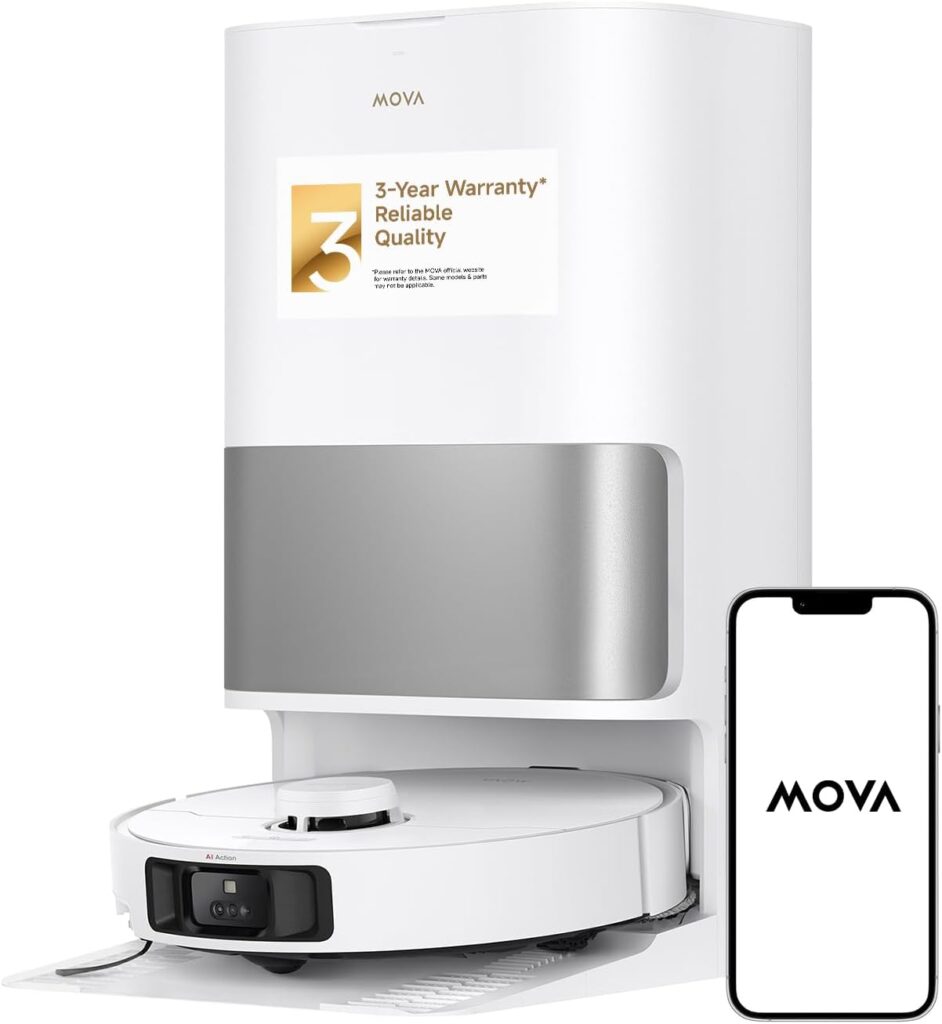
Mova P10 Pro Ultra Robot Vacuum and Mop 13,000Pa Suction, 140°F Hot Water Auto Mop Washing & Drying, Dual Spinning Extenable Mop.
All-in-one Docking Station- The upgraded base station simplifies your cleaning routine. Auto mop self-cleaning with 149℉ hot water and auto mop drying with hot air ensure a fresh smell.3.2L dust bag auto-empty function allows you to go 75 days without cleaning the dust bag.4.5L clean water and 4L used water tank cover a vast mopping area of up to 4300 sqft.
Complex Smart Home Hubs and Wall Panels
Wall-mounted control screens feel like the future when you see them installed in a showroom. In daily life, they tend to become expensive wallpaper. Most professional installers regret using wall-mounted control screens because their software and support generally end a few years after installation, rendering the screens slow, unresponsive, and displaying outdated layouts.
Your phone is already in your pocket. Your voice assistant is already in the room. A fixed panel on one specific wall that you have to walk to adds zero convenience and subtracts money from your life.
Smart Kitchen Appliances That Require App Setup for Basic Functions
A smart coffee maker that requires app setup, WiFi pairing, scheduling, and firmware updates is genuinely worse than pressing a button on a regular coffee maker. Convenience must be genuine, not theoretical.
The test for any smart kitchen appliance is simple: does the smart feature make the thing easier to use, or does it add steps? A coffee maker you can schedule from your phone to have coffee ready when you wake up, that’s genuinely useful. A coffee maker where you have to open an app to start brewing because the physical buttons are limited, that’s adding friction dressed up as technology.
Smart Blinds and Curtains (Entry Level)
The high-end motorised blind systems (Lutron, Hunter Douglas) are excellent and genuinely worth it. The budget smart blind retrofit kits, the ones that clip onto your existing blinds and claim to motorise them, are almost universally a source of frustration. Unreliable connections, limited compatibility, fiddly installation, and motors that strain against blinds they weren’t designed to move.
If you want smart blinds, invest properly or skip them.
Over-Complex Automation Systems (Before You’re Ready)
This one isn’t a device, it’s an approach. Many new smart home enthusiasts dive into complex multi-device automations before they’ve identified what actually bothers them about their current home. The result is hours spent programming routines, debugging them when they glitch, and eventually ripping them out because they don’t match real life.
The right approach: identify one friction point. Automate that. Live with it for a month. Then find the next one.
5. The Hidden Costs Nobody Warns You About
Here’s the part of the smart home conversation that gets glossed over in every product launch, the ongoing costs that come after the purchase.
Subscription Fees
When it comes to smart home products, manufacturers want you to be on a subscription model or a cloud-dependent ecosystem because it’s profitable for them. For you as the user, it’s a ticking time bomb until the company goes out of business or retires its smart home line. A truly smart home should be resilient, if it requires a company server to stay alive, it’s not an investment; it’s a lease.
Many video doorbells and cameras hide their most useful features; person detection, clip history, local storage behind monthly subscription fees. The cost of these subscriptions over five years often exceeds the cost of the hardware itself. Always check what the device does without a subscription before buying.
Battery Maintenance
Devices that need charging weekly are annoying. Devices that need charging daily are abandoned. Smart locks, sensors, and cameras with poor battery life become a source of constant low-level stress. Before purchasing any battery-powered smart device, check: how long does the battery last? Anything under a month needs to be worth the maintenance overhead.
Compatibility Obsolescence
Devices that only work within one brand’s ecosystem limit your flexibility. If that company pivots, gets acquired, or goes bankrupt, you’re stuck with orphaned hardware. This is a real risk; multiple smart home companies have shut down their platforms in recent years, leaving users with devices that simply stopped working. Look for Matter-certified devices and major established brands wherever possible.
The App Sprawl Problem
Homeowners controlling their smart devices primarily through individual smartphone apps may find frustration as they add more devices and need to manage multiple interfaces. Having eight different apps for eight different devices is not a smart home. It’s a complicated home. Choose an ecosystem (Alexa, Google, or Apple HomeKit) and stick to compatible devices from day one.
6. The Five Rules for Buying Smart Home Tech You’ll Actually Use
After digesting all of this, we can distil it into five simple rules that will save you hundreds possibly thousands of dollars and a lot of frustration.
Rule 1: Does it solve a problem you actually have? Not a problem that would theoretically be nice to solve. A problem that genuinely annoys you today. If you’re not bothered by your current thermostat, a smart thermostat won’t change your life. If you hate vacuuming, a robot vacuum absolutely will.
Rule 2: Will the smart feature actually be used or is it just impressive? The demo is not the daily use. A smart fridge touchscreen is impressive in a showroom and ignored in a kitchen. Ask yourself: in six months, will I be using this feature, or will I just be using the device normally?
Rule 3: Does it add convenience or subtract it? Every smart device should make something easier. If setting it up, maintaining it, or using it requires more steps than the “dumb” version, it fails this test. Smart devices should simplify life. When they add steps, decisions, or troubleshooting, they fail.
Rule 4: What happens if the company shuts down? This is not a theoretical question. Smart home companies close, discontinue product lines, and kill apps with alarming regularity. Favour established brands, look for local control options, and prioritise Matter-certified devices that work across ecosystems.
Rule 5: Start with the highest ROI, lowest complexity devices first. Smart speaker → smart plug → smart thermostat. In roughly that order. Each one delivers obvious, immediate value with minimal setup complexity. Once these are running smoothly, add layers.
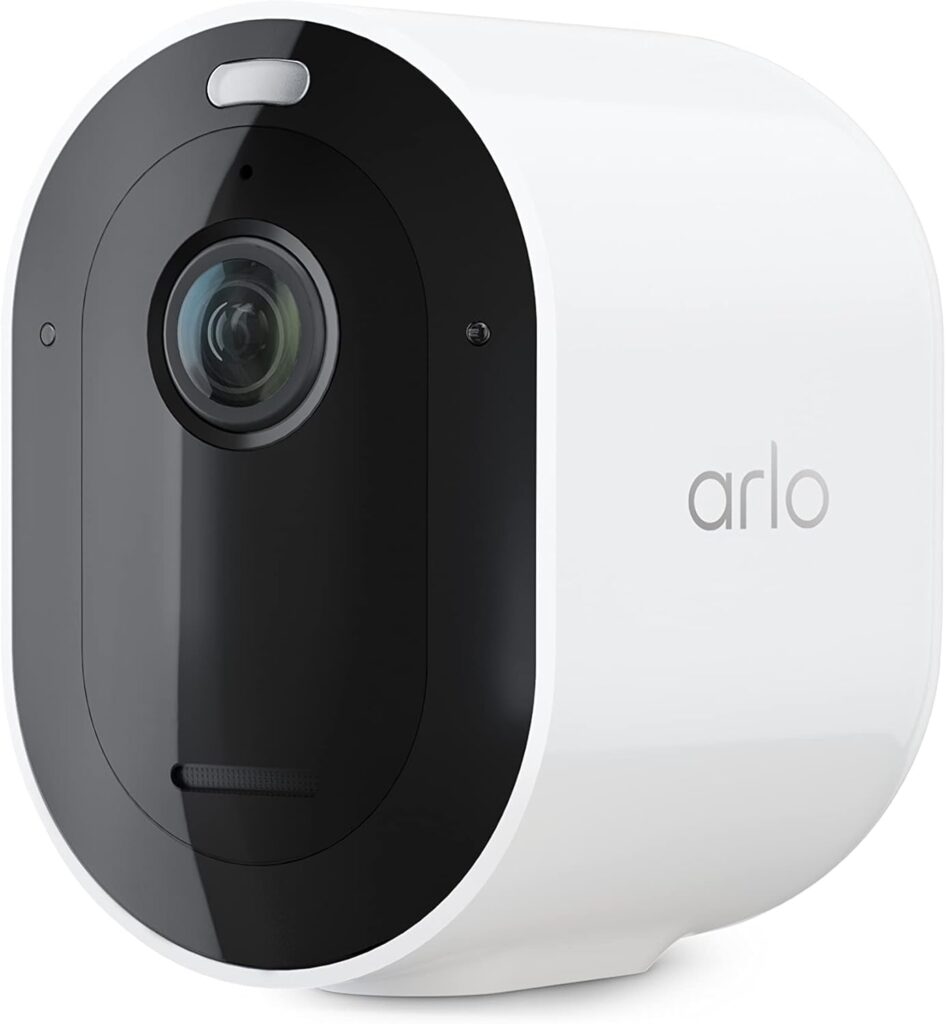
Arlo Pro Security Camera 2K HDR (5th Gen, 2022 Release) – Wireless Outdoor Camera, Rechargeable Removeable Battery.
Premium Outdoor Wireless Camera 2K HDR Video (1 Camera): Watch, listen & talk. Monitor your home, property with 2K HDR video quality. Add additional cameras to your exterior & interior & connect them. Dual-Band Wi-Fi connects to the stronger network.
7. Building a Smart Home That Actually Works: The Recommended Setup by Budget
Here’s the most practical section of this entire guide: a tiered smart home setup that prioritises daily-use devices, minimises wasted spend, and builds intelligently over time.
Tier 1: The $100–$200 “Oh, This Is Useful” Starter Pack
| Device | Why It Works | Cost |
|---|---|---|
| Amazon Echo Dot (5th Gen) | Voice control for everything | $30–$50 |
| Kasa Smart Plugs (4-pack) | Automate what you already own | $25–$35 |
| Smart LED strip lights | Ambient lighting with instant wow factor | $25–$45 |
Total: ~$80–$130 — and your daily life is already noticeably better.
Tier 2: The $300–$600 “Now We’re Talking” Upgrade
| Device | Why It Works | Cost |
|---|---|---|
| Smart thermostat (Ecobee or Nest) | Pays for itself in energy savings | $150–$250 |
| Ring Video Doorbell | Package monitoring + security + peace of mind | $80–$180 |
| Smart bulbs (starter kit) | Lighting automations for morning/bedtime | $60–$100 |
Total: ~$290–$530 — and you have the backbone of a genuinely smart, genuinely useful home.
Tier 3: The $700–$1,200 “This Is a Proper Smart Home” Build
| Device | Why It Works | Cost |
|---|---|---|
| Robot vacuum | The device everyone loves after buying | $200–$400 |
| Smart lock | Remote access, temporary codes, peace of mind | $150–$280 |
| Outdoor security camera | Property monitoring, package security | $100–$200 |
| Smart smoke detectors | Safety + app alerts when you’re away | $100–$120 |
Amazon Pick: Google Nest Protect Smoke + CO Alarm
The smoke detector that speaks to you, it tells you where the problem is, not just that there is one. Integrates with Google Home, sends phone alerts, and runs self-tests.
Money-Saving Tip: Amazon Prime Day (July) and Black Friday are the best times to buy smart home devices, discounts of 30–50% are common across all of these categories. Set price alerts via CamelCamelCamel before buying anything at full price.
8. The Devices That Divide Opinion (And Our Honest Take)
A few devices didn’t fit neatly into Tier 1, 2, or 3 because the community is genuinely split on them. Here’s our unfiltered take.
Smart doorbells with subscriptions: Brilliant devices — but scrutinise the subscription terms before buying. The hardware is worth it. Paying $10/month indefinitely for person detection on a doorbell you already paid $180 for is a different calculation.
Smart smoke/CO detectors: Nest Protect is genuinely excellent and worth the premium. Budget alternatives in this category can be unreliable — and unreliable smoke detectors are not the place to save money.
Smart irrigation controllers: If you have a garden, a smart sprinkler controller that checks local weather and skips watering when rain is forecast is surprisingly satisfying and genuinely saves water. If you don’t have a garden, obviously skip.
Amazon Pick: Rachio 3 Smart Sprinkler Controller
Checks weather forecasts and automatically adjusts watering schedules to avoid running when rain is coming. The #1 smart irrigation product on Amazon.
Smart home displays (Echo Show, Nest Hub): These divide people more than almost anything. Some households use them constantly; for recipes, video calls, morning schedules, and doorbell feeds. Others find a screen on the counter annoying. Know your household before investing.
Final Thoughts: Smart Homes Are Worth It, If You Buy Smart
Here’s the bottom line after all of this:
If someone could do it all over, they’d spend $1,500–$2,000 maximum on the essentials: thermostat, robot vacuum, a few smart bulbs, door sensors, and one security camera. That’s it. Not $8,000. Not a house full of gadgets. A considered, curated selection of devices that solve real problems and earn their place in daily life.
The smart home products that get used every day are the ones that are invisible. You don’t think about your robot vacuum, you just notice the floor is clean. You don’t think about your thermostat, you just notice the house is always the right temperature. You don’t think about your smart plugs, you just know your coffee is ready before you’re out of bed.
That invisibility is the goal. Not impressive demos, not the most devices, not the most connected home on the block. Just a home that quietly works better than it did before; every single day, without you having to manage it.
That’s the smart home worth building.
Which smart home device are you convinced you need and which one are you glad you didn’t waste money on? Drop it in the comments below. And if this guide saved you from a regrettable purchase or pointed you toward a genuinely great one, sharing it would mean everything. Your girl appreciates every single click 🙏