Let’s be painfully honest for a second.
Most home offices are a disaster. A random desk shoved against a wall. Overhead lighting that’s giving “interrogation room” energy. Background noise from the neighbours, the kids, the dog, the construction outside, all of it conspiring to obliterate your focus. And don’t even get started on the chaos of remembering to take breaks, switch tasks, start the coffee, or turn everything off at the end of the day.
Here’s the good news: it doesn’t have to be this way.
A properly automated home office doesn’t just look impressive on a video call background. It actively works for you, adjusting your environment to match your energy, blocking out distractions before they even reach your ears, reminding you to move your body, and running your daily schedule on autopilot so your brain is free to do the work it actually does best.
In 2025, 70% of organizations are expected to implement structured automation across various processes; including innovations like automated scheduling, smart climate control, lighting management, and enhanced security systems. The era of the smart workplace has arrived, and the best part is you don’t need a corporate budget to build one at home.
Whether you work from home full-time, run a side hustle, do deep creative work, or just want your workspace to feel less like a spare bedroom and more like a high-performance studio, this guide is your complete roadmap. We’re covering everything: smart desks, intelligent lighting, noise-cancelling tech, automated schedules, voice assistants, ergonomic upgrades, air quality, and the exact Amazon products to grab right now for maximum impact. Catch up on previous posts on smart homes here.
Let’s build something incredible.
Table of Contents
How to Create a Smart Office for Maximum Productivity.
1. Why Your Environment Is Your Most Underrated Productivity Tool
Before we get into the gadgets, let’s talk about why this matters, because if you’re going to invest in your workspace, you deserve to understand the science behind it.
Your environment isn’t passive background noise. It’s an active input that shapes your cognition, energy, focus, and mood every single hour you’re working. The temperature of your room, the colour of your light, the noise level, whether you’re sitting or standing, all of these factors directly influence how well your brain performs.
Smart home technology enhances office productivity by automating routine tasks, allowing for smarter climate control, efficient lighting, and enhanced security, and personalized climate settings alone can significantly improve employee comfort, fostering more productive and satisfied workers.
The problem is, manually managing your environment is exhausting and mostly impossible while you’re trying to concentrate. You can’t simultaneously monitor your posture, adjust your lighting for the time of day, manage background noise, remember to take breaks, track your hydration, and also, you know, do your actual job.
That’s exactly what smart automation solves. You set it up once, and it runs in the background, doing all the environmental management for you, so your conscious attention stays exactly where it belongs: on your work.
💡 The Big Idea: A smart home office isn’t about luxury. It’s about removing every unnecessary friction point between you and your best work. Every automation you set up is one less decision your brain has to make and decision fatigue is very real.
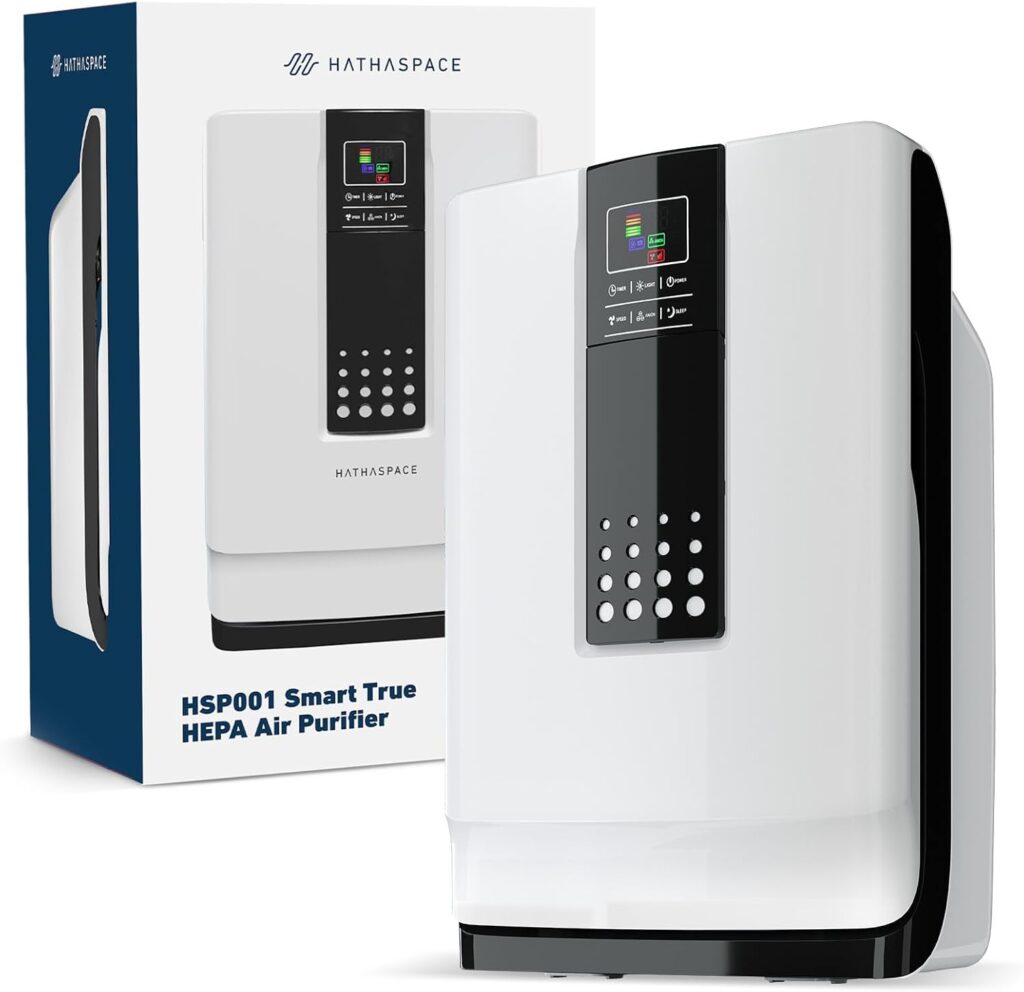
HATHASPACE HSP001 True HEPA Air Purifier for Home, Removes 99.9% of Dust, Smoke, Pet Dander, Odors, VOCs, Covers Up to 700 Sq. Ft, Quiet Air Cleaner with Smart Sensor for Bedroom & Large Rooms
2. Smart Desks: The Sit-Stand Revolution (and Why You Need One Yesterday)
Let’s start with the foundation of your workspace, the desk itself. And specifically, why you should upgrade to a smart, height-adjustable standing desk as soon as humanly possible.
Sitting for extended periods isn’t just uncomfortable. Research links prolonged sitting to increased risk of back pain, cardiovascular issues, reduced circulation, and critically for knowledge workers, cognitive decline. Switching between sitting and standing keeps you energized and protects your posture, with ergonomic studies showing standing desks can boost focus by up to 20%.
But a basic standing desk isn’t a smart desk. The best smart standing desks have programmable height presets, built-in timers that remind you to switch positions, sit-stand tracking that monitors how long you’ve been in each position, and some even connect to your phone or smart home system. Brands like FlexiSpot and Uplift have made new models that are quieter, smoother, and come with LED screens showing your desk height and the latest generation connects to apps that track your movement throughout the day.
What to Look For in a Smart Standing Desk
- Programmable memory presets (save your exact sitting and standing heights)
- Anti-collision detection (so it stops if it hits your laptop or a cup of coffee on the way up)
- Quiet motor (under 50dB — important when you’re on calls)
- Sturdy frame (wobble at standing height kills your typing accuracy and your sanity)
- Spacious desktop surface (at minimum 48″ wide if you run dual monitors)
- App or smart home connectivity (the truly smart desks integrate with Alexa or their own apps)
Amazon Pick: Flexispot E7 Pro Electric Standing Desk
The gold standard in home office standing desks. Dual motor, rock-solid at all heights, anti-collision detection, four memory presets, and a weight capacity of 355 lbs. The E7 operates at sub-50dB noise levels, is stable, quiet, and basically ticks every box for a mid-range professional-grade standing desk. Enormous desktop surface, exceptional build quality, and one of the highest-rated standing desks on Amazon.
Amazon Pick: SHW Electric Height Adjustable Computer Desk
For those who want smart sit-stand functionality without breaking the bank. Electric motor, four memory presets, and a clean, minimal design.
Amazon Pick: Topo Anti-Fatigue Standing Desk Mat by Ergodriven
A standing desk without an anti-fatigue mat is like running shoes without cushioning. The Topo mat’s contoured terrain keeps your feet moving subtly while you stand, dramatically reducing fatigue during long standing sessions.
Automating Your Desk: The Sit-Stand Schedule
Here’s where smart desks get truly powerful. The best approach isn’t to stand all day, it’s to alternate. Research consistently supports a 30-minutes sitting / 30-minutes standing cycle as optimal for energy and focus. Most smart desk apps (and smart home automations) can remind you to switch on a schedule.
Smart automation idea: Set an Alexa routine to say “Time to stand up!” every 45 minutes during your workday. Pair this with saving your sitting and standing heights as memory presets so switching takes literally one button press. Done.
3. Smart Lighting: The Most Underrated Productivity Hack in Your Home Office
Here’s something most productivity advice completely overlooks: your lighting is wrecking your brain.
The wrong light: too dim, too harsh, the wrong color temperature, or static lighting that doesn’t change throughout the day causes eye strain, fatigue, headaches, disrupted circadian rhythms, and diminished cognitive performance. Overhead fluorescent-style lighting (the kind most people have) is specifically associated with afternoon energy crashes and reduced mood.
The right light, on the other hand, is genuinely transformative. AI-powered smart lighting systems now offer cutting-edge capabilities like automatic scheduling, voice control, and adaptive lighting, maximising energy by modifying brightness in response to occupancy and ambient light.
Here’s how light affects you throughout the workday:
- Morning (6–9am): Bright, cool, blue-white light — signals your brain to wake up, suppresses melatonin, boosts alertness
- Peak work hours (9am–2pm): Bright, neutral white light — maximizes concentration and cognitive function
- Afternoon (2–5pm): Slightly warmer, slightly dimmer — sustains energy without overstimulating
- Evening (after 5pm): Warm, amber light — signals wind-down, supports natural melatonin production for better sleep
A smart lighting system can do all of this automatically, every day, without you touching a single switch. You set it once. It runs forever.
Amazon Pick: Philips Hue White Ambiance Smart Bulbs (4-Pack)
The premium choice for smart office lighting. Tunable white from warm to cool, voice and app controlled, and infinitely programmable. Set your office to automatically shift through the ideal colour temperatures throughout the day, all hands-free.
Amazon Pick: Govee RGBIC Smart LED Strip Lights
Transform your desk, shelves, or back wall with colour-reactive smart lighting. Full app control, voice control via Alexa and Google, and millions of colour options. Great for creating a “focus” colour scene (cool blue) vs. a “creative flow” scene (warm amber) vs. an “end of workday” scene (sunset orange).
Amazon Pick: Lutron Caseta Wireless Smart Lighting Dimmer Switch
Replace your existing wall switch with a smart dimmer that integrates with Alexa, Google Home, and Apple HomeKit. Now you can dim your office lights from your desk, schedule them to turn on before your workday starts, and turn everything off automatically when you leave.
Setting Up Your Smart Lighting Automation
Here’s a simple lighting automation that genuinely changes your workday:
Morning Start (8:55am): Lights turn on at 100% brightness, cool white temperature, ready for you before you even sit down. Deep Work (10am–12pm): Lights stay at peak brightness, zero distractions. Lunch (12pm): Lights drop to 60% warmth, signals your brain that it’s time to step away. Afternoon Refresh (2pm): Lights bump back up briefly, then gradually warm through the afternoon. End of Day (6pm): Lights shift to warm amber and dim by 20% every hour, starting your wind-down automatically.
💡 Pro Tip: If you do video calls, lighting placement matters enormously. Position a light source in front of you, not behind you. A ring light or a well-placed desk lamp pointed at your face will make you look dramatically more professional on camera and it signals to your brain that “looking good = feeling confident.”
Amazon Pick: Elgato Key Light — Professional Video Call Lighting
The gold standard for content creators and remote workers who care about how they look on video. Two-panel LED lighting, app and Alexa controlled, adjustable colour temperature and brightness. Incredibly popular with professionals who do regular video calls.
4. Noise-Cancelling Technology: Building Your Personal Focus Force Field
This section might be the one that changes your life the most, especially if you work from home with family, housemates, neighbours, traffic, or any other human beings in your vicinity.
Noise cancellation improves concentration by 40%, per productivity studies, and if you’ve ever tried to write, code, design, or do any deep cognitive work while someone is watching TV in the next room or a neighbour’s dog is having a dramatic episode, you already know this intuitively.
The good news is that noise-cancelling technology has absolutely exploded in quality over the last few years. The best headphones today don’t just reduce noise, they create a genuinely private, acoustically controlled environment wherever you are.
The Best Noise-Cancelling Headphones for Deep Work
The Sony WH-1000XM6 are the best headphones for work, premium headphones with a comfortable fit for long days at work. But depending on your budget and preferences, there are excellent options at every price point.
Amazon Pick: Sony WH-1000XM5 Wireless Noise-Cancelling Headphones
The headphones that consistently top every “best for work” list. Industry-leading ANC, 30-hour battery life, multi-device connectivity, and a supremely comfortable over-ear design for all-day wear. Crystal-clear call quality with precise voice pickup.
Amazon Pick: Bose QuietComfort Ultra Headphones
Bose QuietComfort Ultra Headphones deliver class-leading noise cancellation and a lightweight, well-cushioned fit that makes long focus sessions comfortable. The ANC effectively reduces ambient noise across cafés and home offices, and Bluetooth compatibility across Windows, macOS, iOS and Android makes pairing simple.
Amazon Pick: Apple AirPods Pro (2nd Gen)
For Apple ecosystem users who want the best wireless earbuds for work. Exceptional active noise cancellation in a compact form, Transparency mode so you can hear important sounds when needed, and the seamless device switching that Apple does better than anyone.
Amazon Pick: Jabra Evolve2 85, Pro Tier Business Headset
Designed specifically for professional work-from-home environments. 10-microphone array for call clarity, 37-hour battery, foldable design, and advanced hybrid ANC.
Beyond Headphones: Acoustic Treatment for Your Home Office
Noise-cancelling headphones solve the problem of sound coming in. But what about sound going out, specifically, your voice echoing all over a hard-floored, bare-walled home office on video calls?
Acoustic panels absorb echo and reverberation, making your office sound dramatically more professional on calls and improving your own focus by reducing the fatigue that comes from listening in a reverberant space.
Amazon Pick: JBER Acoustic Foam Panels (12-Pack)
Professional-grade acoustic foam tiles that attach to walls and dramatically reduce echo. Available in multiple colours, easy to mount, and a genuinely transformative upgrade for anyone who does frequent video or audio work.
Amazon Pick: LectroFan White Noise Machine
Sometimes headphones aren’t appropriate for meetings, thinking time, or just hours when you don’t want anything clamped to your head. A white noise machine fills the room with neutral sound that effectively masks background noise without requiring you to wear anything.
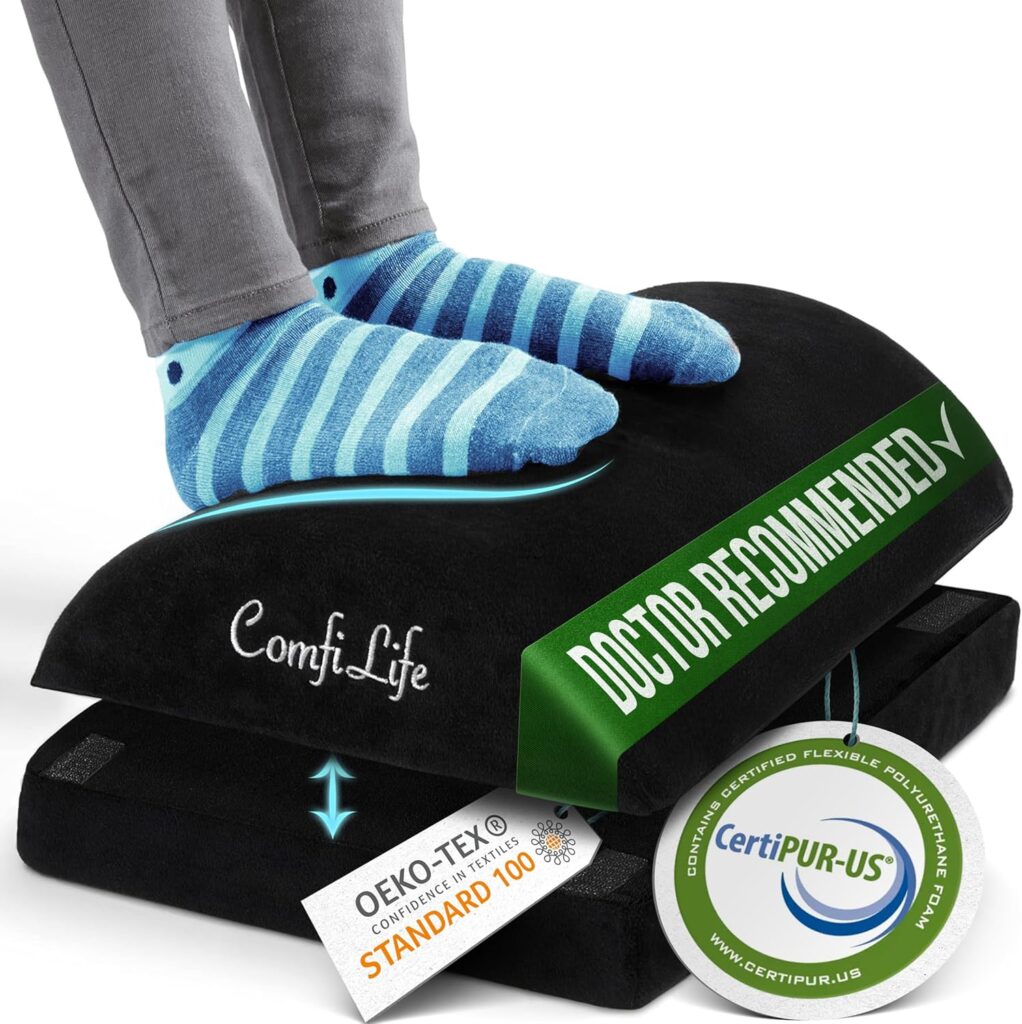
ComfiLife Foot Rest for Under Desk at Work – Adjustable Height Memory Foam Foot Stool for Under Desk, Office Chair & Gaming Chair – Ergonomic Footrest for Back & Hip Pain Relief
5. Smart Thermostats and Air Quality: The Hidden Performance Factors
Here’s something most home office guides never tell you: the temperature and air quality of your workspace directly affects your cognitive performance. Studies from Harvard’s T.H. Chan School of Public Health found that cognitive function scores were 61% higher in well-ventilated environments compared to conventional office conditions.
The ideal cognitive performance temperature is around 70–77°F (21–25°C) and maintaining it automatically, rather than manually adjusting your thermostat throughout the day, is exactly what smart climate control is built for.
Automated climate controls can optimize heating and cooling, reducing energy usage during non-working hours, and comparing traditional systems to smart climate control demonstrates clear advantages, smart systems provide customizable and energy-efficient solutions ensuring optimal conditions throughout the day.
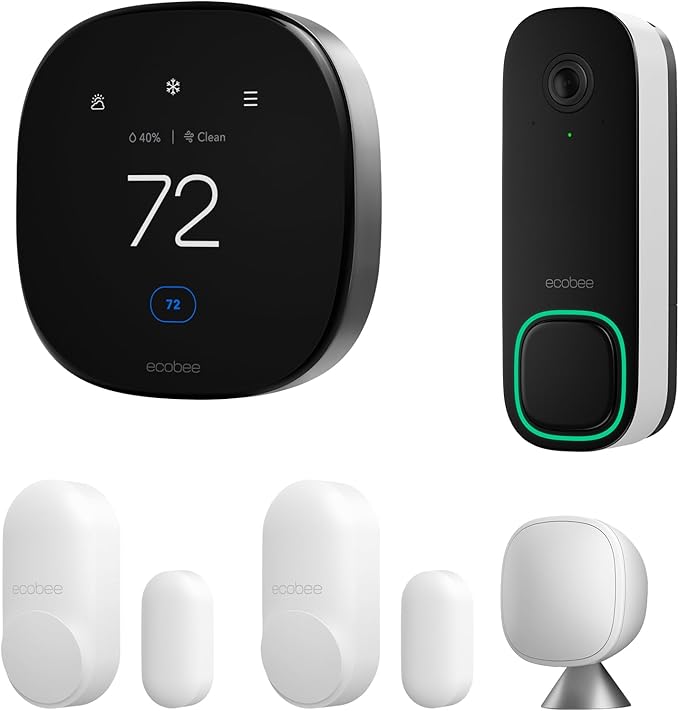
Amazon Pick: ecobee SmartThermostat Premium
The best smart thermostat for home office workers. Learns your schedule, includes a remote room sensor (so it reads the temperature where you actually are, not at the thermostat down the hall), has built-in Alexa, and integrates with every major smart home ecosystem.
Amazon Pick: Dyson Purifier Cool Formaldehyde (TP09)
Air quality is no joke in a home office, especially if your space has new furniture, carpet, paint, or limited ventilation. This Dyson purifier removes 99.97% of airborne particles, displays real-time air quality data, integrates with the MyDyson app, and also functions as a fan and (in some models) a heater.
💡 Pro Tip: High CO2 levels in a small home office are shockingly common, especially with the door closed. Simply opening a window for 10 minutes or running an air purifier can noticeably improve your mental clarity. The Awair monitor will show you exactly how much CO2 is building up in your space throughout the day.
6. Voice Assistants: Your Automated Office Manager
If a smart office has a brain, it’s a voice assistant. And when you’re deep in work mode, hands on the keyboard, thoughts in the zone being able to manage your environment, your schedule, your timers, and your tasks with nothing but your voice is a genuinely profound upgrade.
The role of voice-activated assistants in work environments is becoming increasingly prominent, helping streamline day-to-day operations: managing schedules, controlling office devices, and retrieving information swiftly, allowing focus on higher-value tasks.
The Best Voice Commands for Your Home Office
Once your smart office is set up, these voice commands become part of your daily rhythm:
- “Alexa, start my work day” — triggers a routine that turns on your lights, sets your thermostat, plays your focus playlist, and reads you your schedule
- “Hey Google, set a Pomodoro timer” — 25 minutes of deep work, then a 5-minute break (the Pomodoro Technique, automated)
- “Alexa, what’s on my calendar today?” — instant schedule overview without picking up your phone
- “Hey Google, add ‘follow up with client’ to my to-do list” — capture tasks hands-free
- “Alexa, turn off my office” — everything off, at once, with one command
Amazon Pick: Amazon Echo Show 15 — Smart Display for Your Office Wall
The ultimate smart office display. Mount it on your wall and use it as a visual calendar, task board, reminder display, video call hub, and smart home control panel, all in one. Alexa built-in, integrates with your Google Calendar, and displays your schedule at a glance all day long.
Amazon Pick: Amazon Echo Dot (5th Gen) — Compact Office Pick
If you just need voice control for your desk without a screen, the Echo Dot delivers full Alexa functionality for under $50. Timers, reminders, smart device control, music, and hands-free smart home management, all from a hockey-puck-sized device.
7. Automated Schedules and Productivity Routines: The Secret Weapon of High Performers
This is where everything comes together. Individual smart devices are useful. But a fully automated schedule, where your entire work environment adapts in real time to where you are in your day, is the difference between a smart office and a genuinely transformative one.
The concept is simple: define what your ideal workday looks like, then automate the environment to support it. Your office works for your schedule. You don’t work around it.
The Anatomy of an Automated Productive Workday
7:30am — Pre-Work Warm-Up:
- Smart lights gradually brighten to 80% cool white (set via Alexa Routine or Google Routine)
- Smart thermostat shifts to your “work temperature” (70°F)
- Smart coffee maker starts brewing (via smart plug automation)
- Echo Show displays your schedule for the day
8:45am — Work Mode:
- Lights reach peak brightness
- “Do Not Disturb” mode activated on your phone via Alexa
- Focus playlist starts playing (Spotify routine via Alexa)
- Air purifier turns on (via smart plug schedule)
10:30am — First Break Reminder:
- Alexa announces “Time for a 5-minute break — you’ve been working for 90 minutes”
- Lights briefly dim (environmental signal to pause)
- Standing desk reminder: “Time to switch positions”
12:00pm — Lunch:
- Lights shift to warm and dim
- “Alexa, pause work day” — music off, everything drops to comfortable ambient mode
- Thermostat drops slightly (relaxation temperature)
1:00pm — Afternoon Session:
- Bright cool lights come back on (automated — your post-lunch focus signal)
- Fan/air purifier turns back on
- Second focus session music starts
5:00pm — End of Day:
- Lights shift to warm amber and begin dimming over 30 minutes
- Alexa announces “Time to wrap up, you have X things remaining on your to-do list”
- Smart plug turns off monitor (physical reminder that work is done)
- Thermostat shifts to “evening mode”
6:00pm — Office Off:
- All office lights off
- Air purifier off
- Smart plug for all non-essential devices turns off
- “Work day complete” announced
💡 This sounds complex, but building it takes about 30 minutes. Alexa Routines and Google Home Routines are drag-and-drop simple. You set it once, and your office runs this way every single weekday, automatically.
8. Smart Monitors, Webcams, and Video Call Upgrades
A smart office isn’t complete without considering the tools you use to interface with the outside world. For remote workers, your monitor, webcam, and microphone setup is your face to every client, colleague, and collaborator. Getting it right matters enormously.
Amazon Pick: LG 32UL950-W 32″ 4K UHD USB-C Monitor
A stunning, large-format 4K monitor that connects to your laptop with a single USB-C cable (which also charges your computer). Nano IPS display technology, excellent colour accuracy, and a built-in USB hub. A premium purchase that makes everything from document editing to video calls look noticeably better.
Amazon Pick: Logitech Brio 4K Webcam
The Logitech Brio elevates your professional presence on video calls with 4K resolution, HDR, and a built-in privacy shutter. It’s the webcam used by professionals who care about how they look, and it integrates seamlessly with Teams, Zoom, and every other platform.
Amazon Pick: Blue Yeti USB Microphone
Audio quality on calls matters just as much as video, arguably more. The Blue Yeti is the microphone that podcasters, streamers, and remote professionals swear by. Cardioid pickup mode captures your voice clearly while rejecting background noise from the sides and rear.
Amazon Pick: Anker 778 Thunderbolt Docking Station
The Anker 778 Thunderbolt Docking Station drives up to four 4K displays at 60Hz while providing 100W laptop charging, and the comprehensive port array: Thunderbolt 4, USB-C, USB-A, HDMI, DisplayPort makes it straightforward to centralize peripherals. A single cable connects your laptop to everything: monitor, webcam, keyboard, mouse, microphone, and hard drives.
9. Ergonomic Smart Accessories: The Upgrades Your Body Will Thank You For
An automated home office isn’t just about what’s smart, it’s about what’s sustainable. The best tech setup in the world won’t help you if you’re in pain by 2pm. Ergonomics and smart accessories work together to keep your body comfortable and your focus intact all day long.
Amazon Pick: Herman Miller Aeron Chair
The legendary chair. Twelve years of research, PostureFit SL lumbar support, fully customizable fit, and a 12-year warranty. If you spend more than 4 hours a day at a desk, this chair will genuinely transform your physical comfort and energy levels.
Amazon Pick: Logitech MX Master 3S Wireless Mouse
Ergonomic sculpted shape, ultra-precise MagSpeed electromagnetic scroll wheel, works on any surface, and connects to three devices simultaneously. The mouse that professionals upgrade to and never look back from.
Amazon Pick: Logitech ERGO K860 Split Keyboard
The ERGO K860 is a solid pick if wrist comfort is your priority, its sculpted ergonomic design really reduces wrist strain and promotes better typing posture. The long 24-month battery life and multi-device Bluetooth/wireless pairing made it a low-maintenance desk companion.
Amazon Pick: Flexispot Monitor Arm (Dual or Single)
Get your monitor off the desk surface, position it at the exact height your eyes require (top of the screen should be at eye level), and reclaim 30% more desk space in the process. A $40 upgrade that dramatically improves your posture and workspace organisation.
Amazon Pick: Anker Wireless Charging Pad (Multi-Device)
A wireless charging pad lets you charge your phone, smartwatch, earbuds, and even your mouse, all in one spot. The best ones charge super fast and have soft LED lights to show when your gadgets are full, helping keep your desk neat with fewer tangled cords.
10. Smart Plugs and Power Management: Automate Everything Else
Smart plugs are the unsung heroes of the automated home office. They turn any existing appliance: desk lamp, fan, coffee maker, monitor, phone charger into a smart device that can be scheduled, voice-controlled, and included in automations.
Smart plugs like the TP-Link Kasa Smart Plug are easy to use and cost-effective, making them perfect for automating your office routine, control everything from lights to desk lamps and fans with a simple app on your phone.
Amazon Pick: Kasa Smart Plug Mini (4-Pack)
Small, reliable, WiFi-connected, and works with Alexa, Google Home, and SmartThings. Schedule your coffee maker, desk lamp, monitor, or fan to turn on and off on your exact work schedule automatically, every day. One of the best-selling smart home products on Amazon.
Amazon Pick: Kasa Smart Power Strip (3 Smart Outlets + USB)
Control your entire desk’s power independently: monitor on one outlet, desk lamp on another, secondary devices on a third. Turn off everything with one voice command at the end of the day. A step up from a basic smart plug with more versatility.
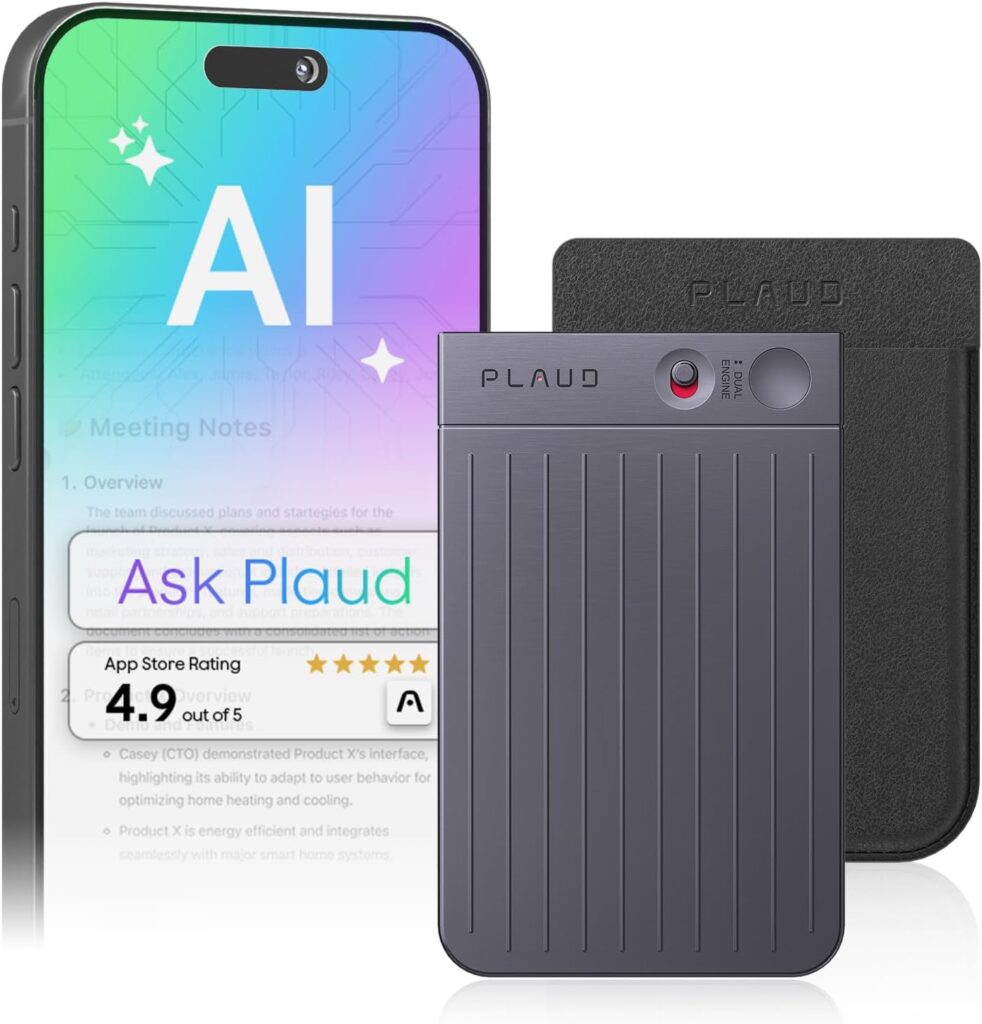
Plaud Note AI Voice Recorder, Voice Recorder w/Case, App Control, Transcribe & Summarize with AI Technology, Support 112 Languages, 64GB Memory, Lectures, Meetings, Calls, Black, Non-Pro Version.
11. Building Your Smart Home Office on a Budget: Where to Start
We know what you might be thinking: “This is all incredible, but where do I even begin?”
The good news is you don’t need to buy everything at once. Smart offices are built incrementally and even small investments deliver outsized returns.
💰 Money-Saving Tip: Amazon Prime Day (July) and Black Friday are the best times to buy home office tech. Standing desks, headphones, and smart lighting all see major discounts. Set price alerts on CamelCamelCamel to track price history before you buy — and never pay full price for any of these items.
12. The Future of the Smart Home Office: What’s Coming Next
The smart home office space is evolving fast, and what’s coming in the next few years is nothing short of remarkable.
Imagine walking into an office where your desk already knows the table height you’re comfortable with and the brightness you prefer, that’s what the next generation of smart office means: devices connected to the internet that make the workspace smarter and more relaxed, automatically adjusting settings like lighting and temperature based on who’s there.
AI-personalized work environments will learn your energy patterns, stress signals (via wearables), and productivity rhythms to automatically adjust your environment in real time, dimming lights when you’re showing signs of cognitive fatigue, boosting temperature when you’ve been cold, and playing different music depending on what kind of work your calendar says you’re doing.
Biometric-responsive desks are in development that adjust height, monitor tilt, and keyboard angle based on your posture in real time, using cameras or pressure sensors to keep you in ergonomic alignment automatically.
By 2027, AI agents will challenge mainstream productivity tools for the first time in three decades —organisations that link people, systems and AI into seamless workflows will be the ones that win.
Invisible, embedded technology — desks with wireless charging built into the surface, lighting integrated into furniture rather than overhead fixtures, and microphones built into walls will make the smart office invisible in the best possible way. The tech disappears; the productivity remains.
The home office of tomorrow doesn’t just support your work. It enhances it: proactively, intelligently, and invisibly.
Final Thoughts: Your Best Work Deserves the Best Environment
Here’s the truth: the investment you make in your home office is an investment in the quality of your thinking, your energy, your output, and your professional presence. Every distraction you eliminate, every friction point you automate, every hour of eye strain you prevent, it compounds. Day after day. Project after project. Career after career.
You don’t need to do everything at once. Start with the one upgrade that addresses your single biggest pain point right now; the noise, the lighting, the back pain, the chaos of manually managing your environment and build from there. Before long, you’ll have a workspace that doesn’t just function. It inspires.
Your best work is waiting. Go build the office that makes it possible.
Which smart home office upgrade are you most excited about? Drop it in the comments and if this guide was helpful, sharing it would mean the absolute world. Because this girl’s got smart plugs to buy too 😄